 oddsbot
Sources
Watch the right markets.
Pull the markets and events a strategy cares about: daily temperature markets for New York and Atlanta, or fresh USGS earthquake reports.
Find weather marketsUSGS earthquake monitor
AI trading bots for Polymarket
Snap together market sources, AI research, decision rules and risk checks into a bot that trades Polymarket on its own schedule. Start on paper. Go live only inside limits you sign off.
01The builder
Drag modules onto a canvas and connect them. Every bot is a graph you can read at a glance — and change without writing a line of code.
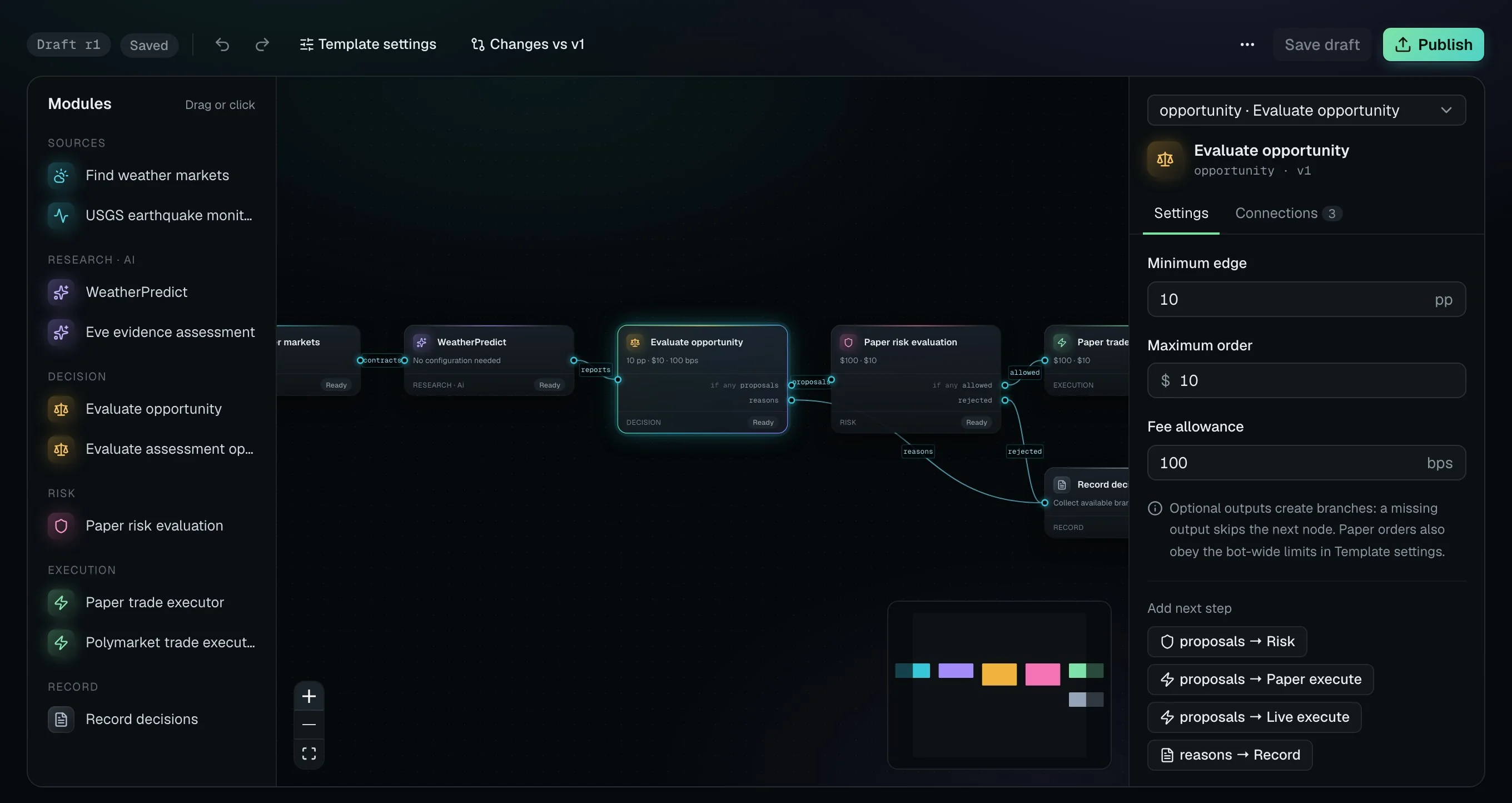
1Modules
Sources, AI research, rules, risk and execution — colour-coded by the job they do.
2Canvas
Wire outputs to inputs. Ports only connect when the data fits, and branches carry rejections.
3Inspector
Tune each module in plain terms: minimum edge, order size, fee allowance.
4Publish
Edit a draft freely. Publishing creates a numbered version you can compare and roll back.
02The parts
Modules are built and reviewed by us, with typed inputs and outputs. You choose which ones go in and how each is tuned.
Pull the markets and events a strategy cares about: daily temperature markets for New York and Atlanta, or fresh USGS earthquake reports.
Forecast ensembles become outcome estimates. Eve reads event evidence and judges how it bears on a market — with sources attached.
Compare every estimate with the live ask, after fees. Only gaps above your threshold become proposals.
Each proposal is tested against order size and the budget that remains. Anything over the line is rejected, with the reason.
Simulate fills against the live order book, or place real Polymarket orders once you have approved live access.
Every trade, skip and rejection is stored with its inputs, evidence and the reason it happened.
03A run, recorded
Each run keeps the exact graph version, every module’s inputs and outputs, the evidence it read and what it cost. Open any trade — or any skipped one — and follow the reasoning.
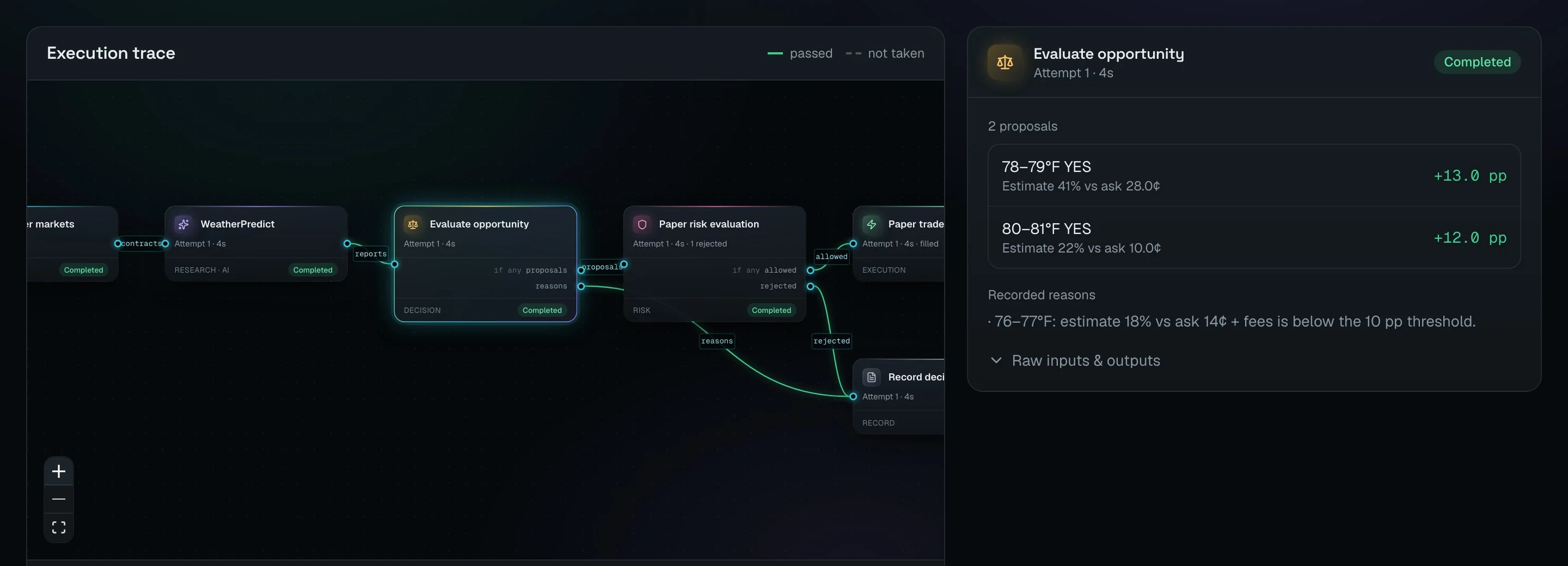
Example run · three brackets, three outcomes, all recorded
Estimate 41% against an ask of 28¢ — an edge of +13 pp. Filled 32.67 shares at $0.30.
Paper trade executor · filled at best ask
Estimate 18% against an ask of 14¢ plus fees is below the 10 pp threshold.
Evaluate opportunity · recorded reason
A +12 pp edge, but the order would exceed the remaining paper budget.
Paper risk evaluation · recorded reason
04Paper → live
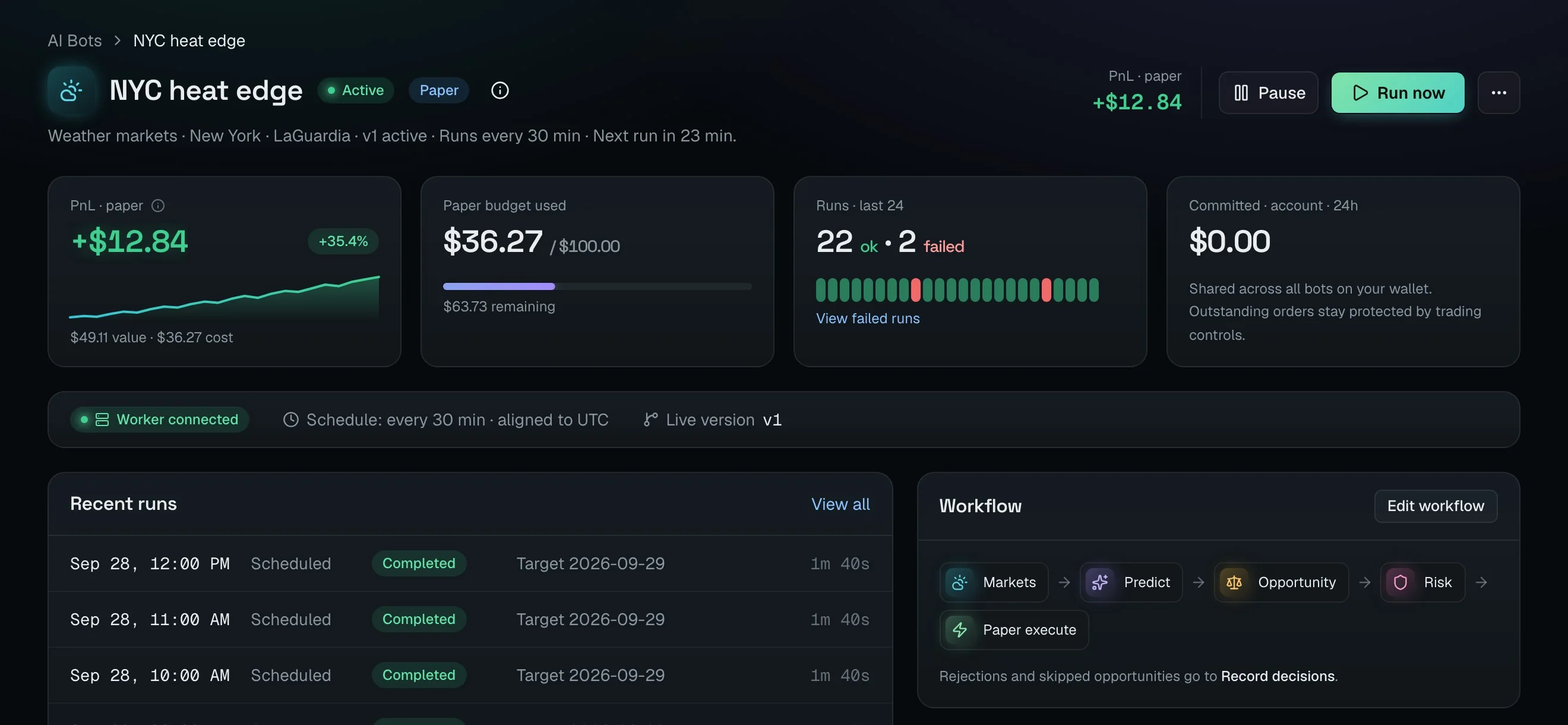
Every bot starts with paper money against real order books. When the numbers hold up, rehearse, then give one version real money — within limits you set.
01PaperPaper
Simulated fills against real Polymarket order books, marked to market. See the PnL before you risk anything.
02RehearsalDry run
Run the live graph with paper money and proposed pilot limits. Nothing is signed, nothing is spent.
03LiveLive
Approve one published version with your security key. Access expires after 1 hour, 24 hours or 7 days.
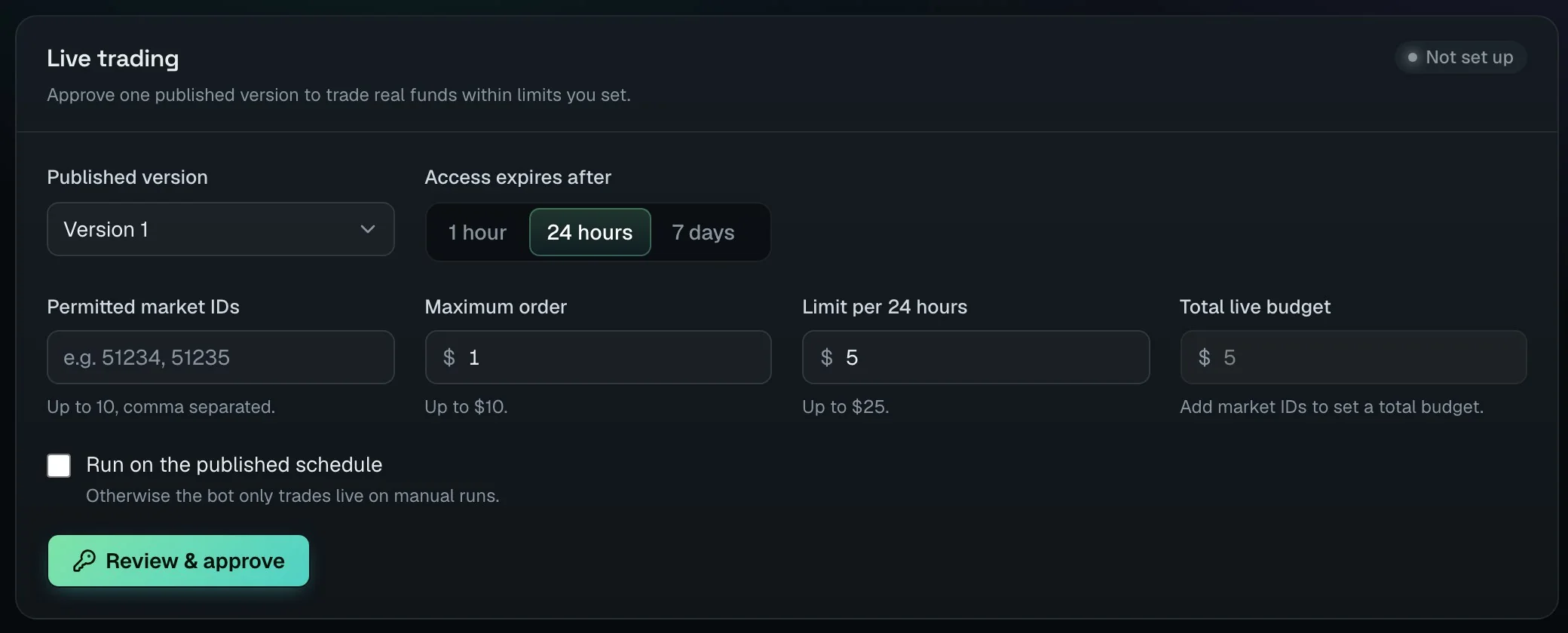
signed with your security key
05Safety
Autonomy is only useful when the boundaries hold. Oddsbot enforces them outside the model, on every order.
Orders are signed by your embedded wallet through delegated signing. The bot never holds a private key.
Per-order, 24-hour and account-wide caps bind every order, whatever the model decides.
Pausing stops new orders at once. Open orders keep reconciling. Revoke removes access entirely.
Funds only leave through the web app, signed by you — never by a bot or an agent.
Each order intent is recorded with idempotency, so a retry never spends twice.
Live approval lasts 1 hour, 24 hours or 7 days. After that, the bot needs you again.
Also works with your AI assistant
Connect Codex, Claude Code, Cursor or another skill-compatible agent. It researches markets and places orders through the same server-side limits.
06Questions
No. You start from a template and build on a canvas. Modules have plain settings — thresholds, order sizes, budgets — and ports that only connect when their data fits.
Polymarket daily temperature markets for New York and Atlanta, and markets tied to USGS earthquake events. More sources are on the roadmap.
No. Paper bots simulate fills against real Polymarket order books and track PnL marked to market.
No. Estimates are uncalibrated, markets move, and paper results don’t promise live ones. Every decision is recorded so you can judge a strategy on its evidence.
Add the Polymarket executor, publish, run a rehearsal, then approve limits and an expiry with your security key.
Yes. Pause stops new orders immediately; revoke removes the bot’s access entirely.
Start from the weather template. It runs on paper in minutes.
Build your first bot